
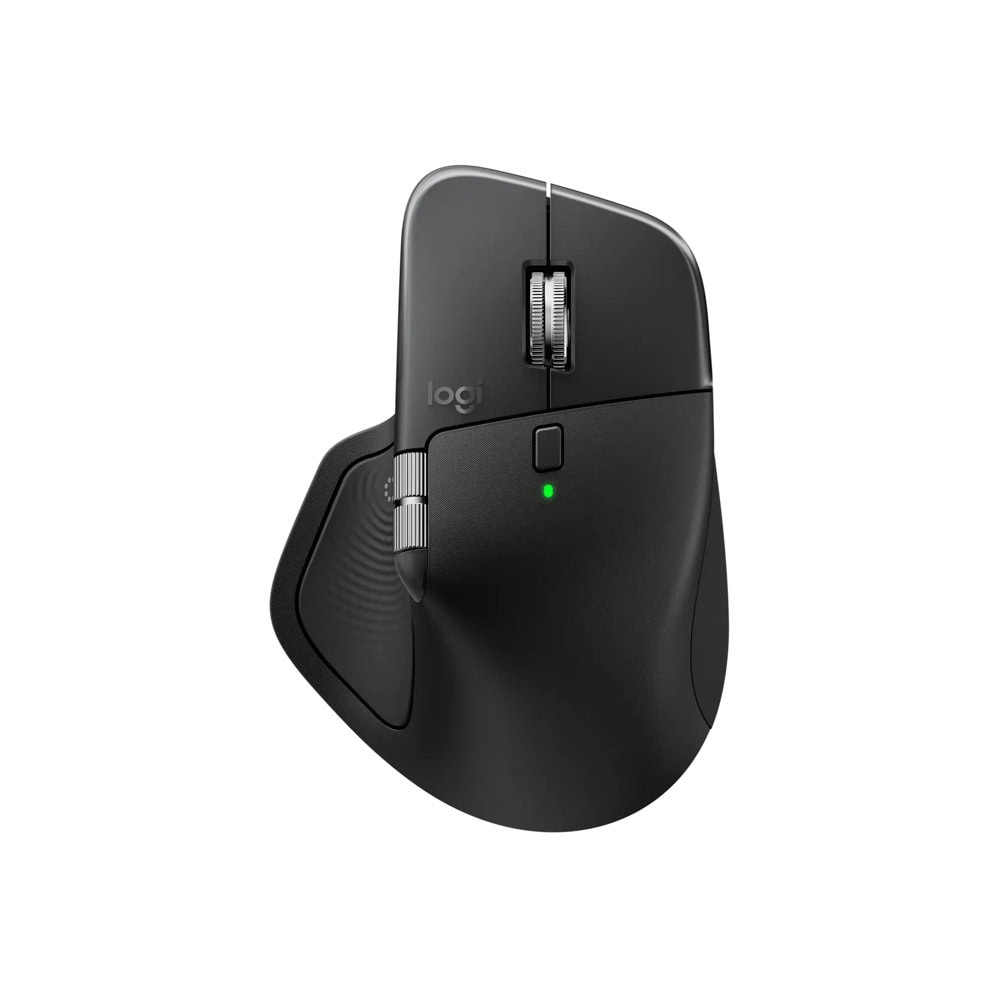
Начало / Мишки и клавиатури / Мишка Logitech MX Master 4
Мишка Logitech MX Master 4
Logitech

Мишка Logitech MX Master 4

Артикул №: 1000147083
Категория: Мишки и клавиатури
142,99 €
✓ Налично в централен склад

Logitech MX Master 4

High Performance. Engineered Responsibly.

We engineer our products for speed, precision, and high performance, all while considering sustainability as a key criterion throughout every stage of the product development process

Immerse yourself with the Haptic Sense Panelwith customizable* haptic feedback on specific actions, shortcuts, notifications enhancing productivity. Feel the snap of images snapping onto grids, notifications, desktop switching, slider adjustments and more. Customize feedback, intensity, and add plugins for 3rd party apps with Logi Options+ for a more personalized workflow.*Requires Logi Options+ app, available for Windows and macOS at app.logi.comSave up to 33% of your time with Actions Ring shortcuts*Keep your workflow flowing with the Actions Ring, bringing your favorite tools, shortcuts, and actions right to your cursor. Skip all the menu searching and reduce your mouse movements by up to 63%*. Personalize shortcuts and download plugins for third-party apps with Logi Options+ to make the Actions Ring work for you.*Logitech Ergo Lab study (2025) with 37 MX Master mouse users tested across 8 desktop actions. Results may vary depending on assigned shortcuts.Scroll 1,000 lines per secondFlow through tasks with the MagSpeed scroll wheel, Logitech’s fastest and most precise scrolling experience*. Switch effortlessly between ratchet mode—87% more precise** —and hyper-fast mode, 90% faster*, zipping through 1,000 lines per second. The machined steel wheel is smooth, quiet, and weighted for perfect glide control.*Compared to regular Logitech mouse without an electromagnetic scroll wheel., **Compared to Logitech Master 2S mouse with Logitech Options installed and Smooth scrolling enabled

Track on any surface, even glass* with the 8K DPI sensorTrack with precision using an 8,000 DPI sensor that works on virtually any surface—even glass*. Logitech’s most accurate sensor ever is 5x more precise than a basic mouse**, delivering responsive, pixel-perfect control for large screens and focused workflows.*4 mm minimum glass thickness., **Compared to a regular Logitech mouse with default DPI setting. More comfort. Deeper focus.MX Master 4 is designed to keep you comfortable and in the flow for hours. It’s optimized tilt angle keep your arms in a more natural posture and it’s ideally positioned buttons allow for quick and intuitive navigation. Even the scroll wheel follows the natural movement of the thumb for fluid and intuitive horizontal navigation.

Deeper flow with 90% less click noise*Quiet Clicks on the MX Master 4 keeps you in your flow with less noise and fewer distractions. Designed for those who create, code, or collaborate, Quiet Click buttons deliver a satisfying feel – but with 90% less click noise*. You’ll get the same performance, precision, and reliability, but with less click sounds.*Compared to MX Master 3, MX Master 4 has 90% less Sound Power Level left and right click.

Характеристики

MX Master 4 Mouse Height 128.15 mm
Ширина 88.35 mm
Дълбочина 50.8 mm
Тегло 150 g
Technical Specifications Да
General Specifications Да
Sensors Да
Sensor Technology Darkfield high precision
Nominal value 1000
DPI (Minimal and maximal value) 200-8000 (can be set in increments of 50 DPI)
Buttons Да
Number of Buttons 8
Scroll Wheel Да, MagSpeed wheel with smart shift
Horizontal scroll Да
Thumb wheel Да, same as horizontal scroll
Gesture button Да
Customization app Да, Options + and basic support in Tune
Battery & Charging Да
Тип батерия Rechargeable 650 mAh
Живот на батерията 70 days
Свързаност Да
Connection Type Безжична
Wireless technology Bluetooth Low Energy
Wireless range 10 m
Bluetooth Low Energy (BLE) 5.1
System Requirements Да
Bluetooth Required: Bluetooth Low Energy, Windows 11 or later*, macOS 13 or later*, Linux**, ChromeOS**, iPadOS 15 or later**, Android 12 or later**. (*Customize device by installing the Logi Options+ App available for recent versions of Windows and macOS at app.logi.com, **Device basic functions will be supported without software for other systems than Windows and macOS)
Logi Bolt USB receiver Required: USB-C Port, USB-A Port, Windows 10, 11 or later*, macOS 13 or later*, Linux**, ChromeOS**. (*Customize device by installing the Logi Options+ App available for recent versions of Windows and macOS at app.logi.com, **Device basic functions will be supported without software for other systems than Windows and macOS)
Съвместимост Compatible with both USB-C and USB-A receivers.